For restaurant kitchens

Count it. Order it. Same list.

Walk the storage with your phone. Pars turn the count into each vendor’s order. Send it by email, text, or WhatsApp before you leave the floor.

  • Less retyping The count is the order. You do not write it twice.
  • Fewer missed stockouts A short par is already on that vendor’s order.
  • Less over-ordering You order the gap, not a guess.
  • Price hikes caught A photo of the invoice flags a unit price that jumped.
  • Made in Pennsylvania by Hackwise Labs
  • Spanish and English
  • Works on any phone
  • No app store
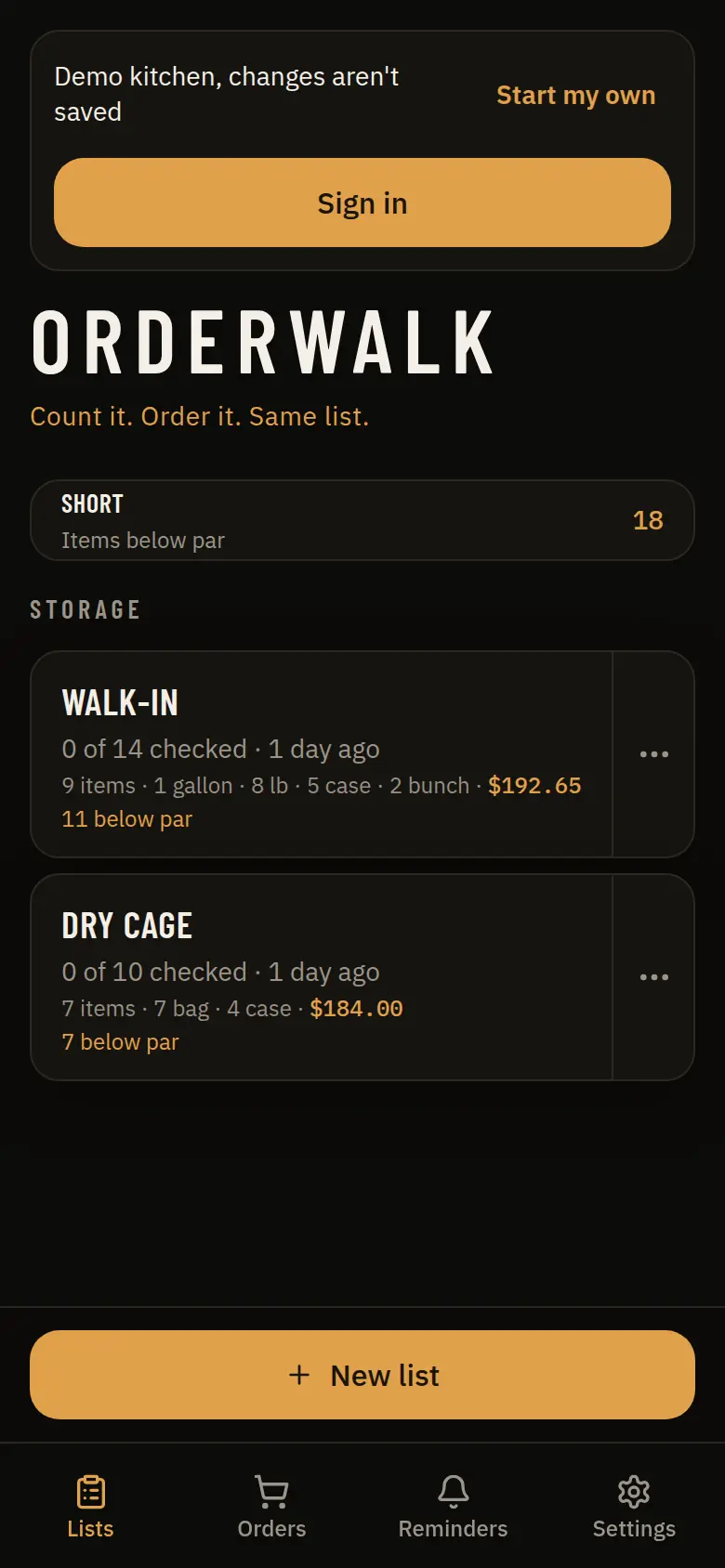
OrderWalk demo home with storage lists for a Walk-in and a Dry cage, and a count of items below par.
Sample demo kitchen

How it works

Three steps. The same list.

No second spreadsheet. No rewrite at the desk after the walk.

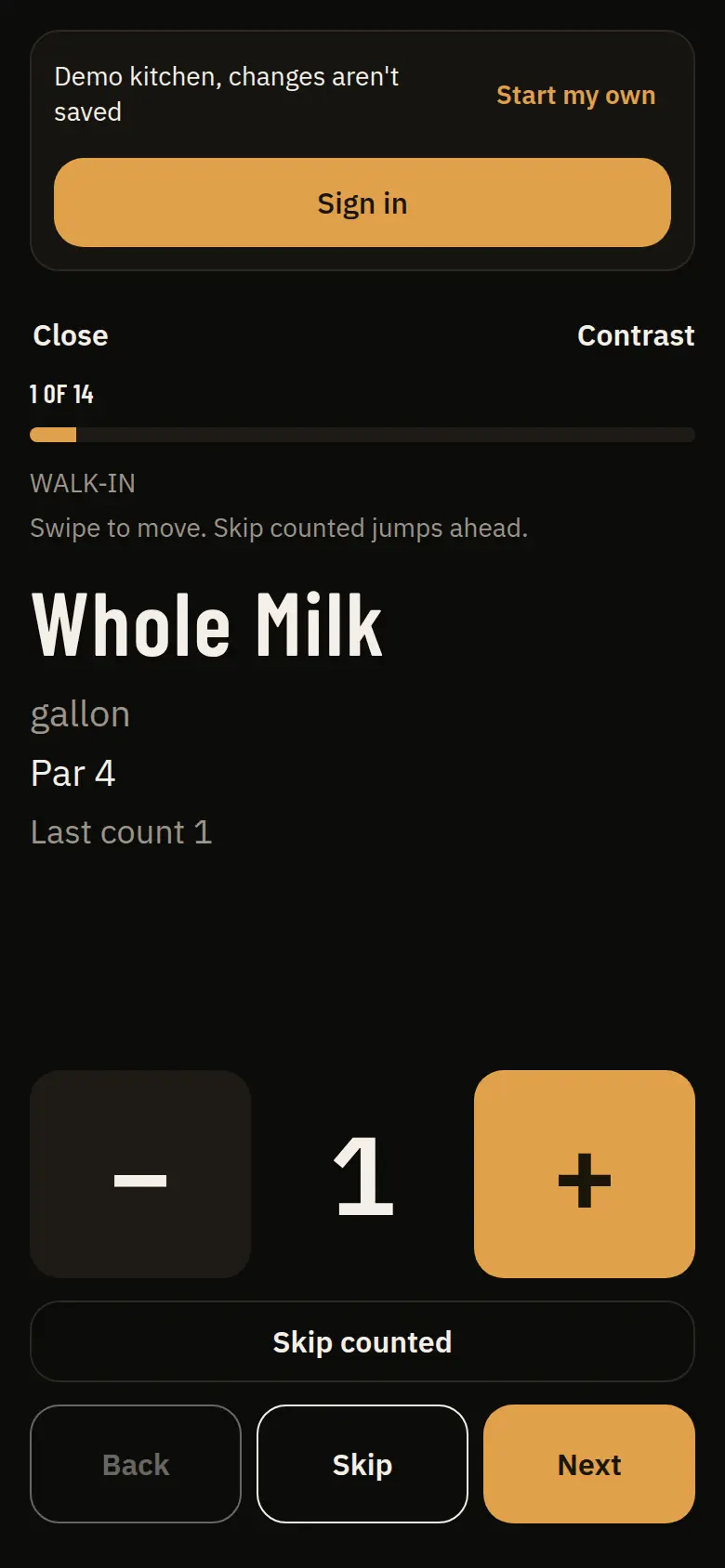
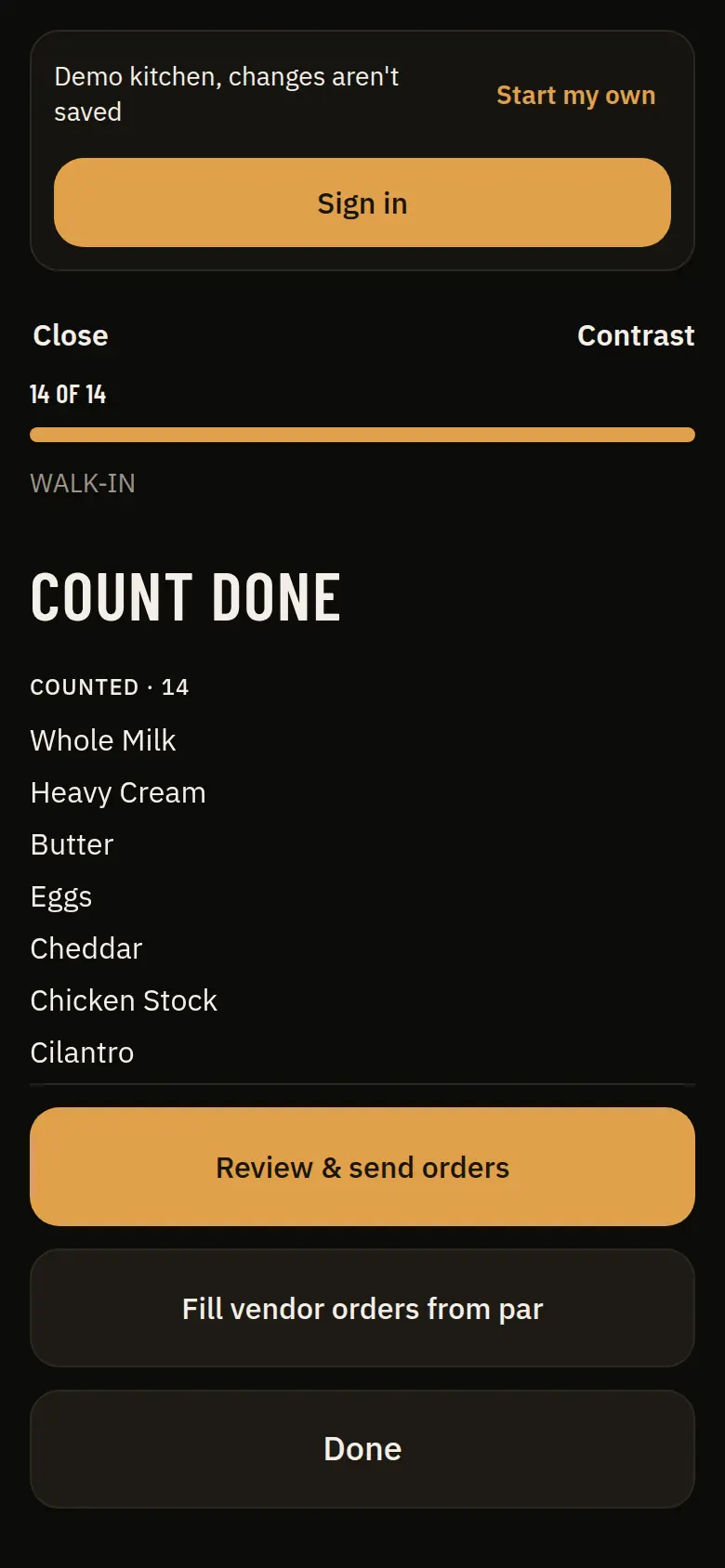
Open a storage area and count what is there. Large type, a keypad, and Next. When the walk is finished, the count is finished.

Count mode in the OrderWalk demo, on the Walk-in list, showing Whole Milk, a par, and a keypad.
Sample demo kitchen

Features

Built for the walk, not the back office.

For the owner or kitchen manager who orders from a walk-in, a dry cage, and a few vendors. Not a warehouse system.

Pars and the order

The gap is already on the order.

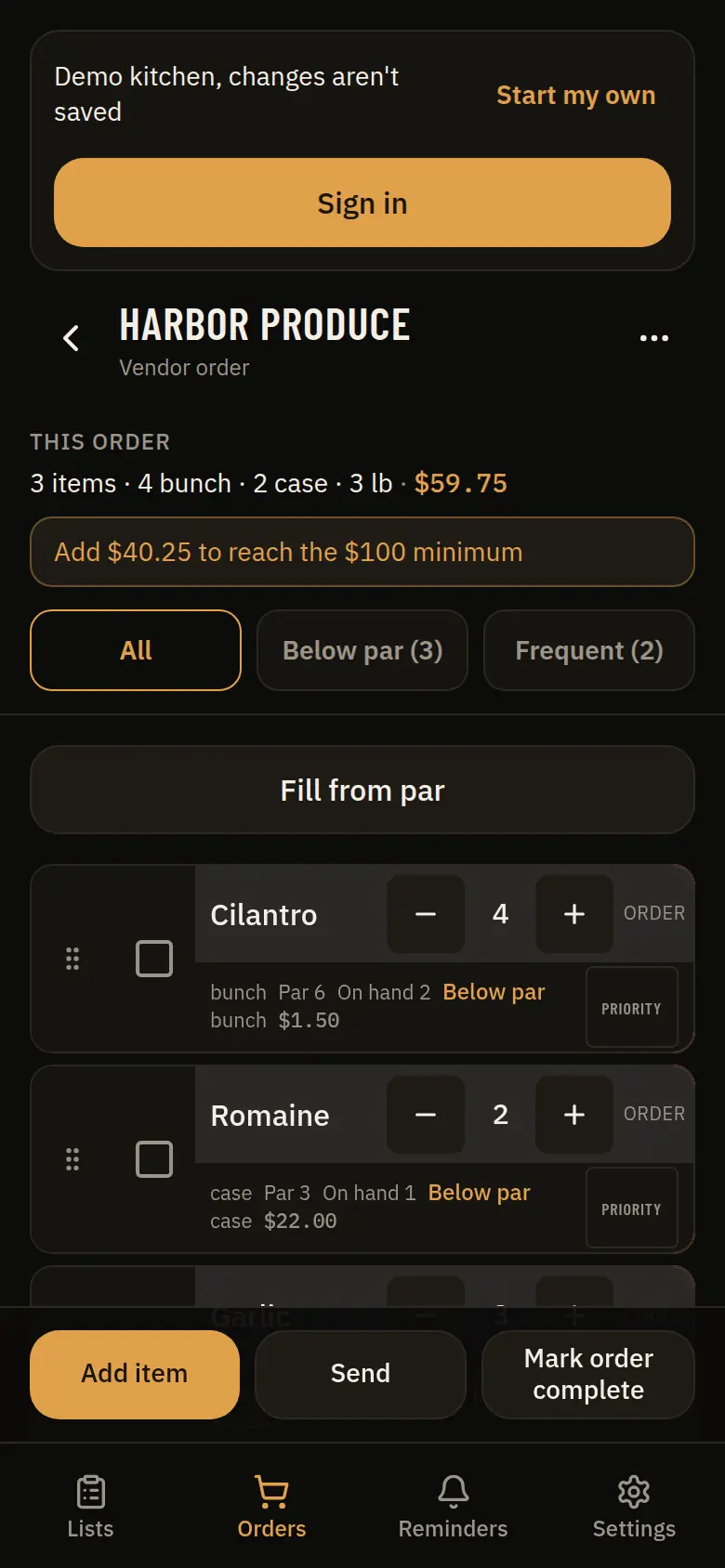
Open a vendor and the short items are there, with par, on-hand, and the quantity to order. Fill from par if you want the gap written in. Check it, then send. The screenshot is the sample kitchen in the demo.

Harbor Produce vendor order in the sample demo, with cilantro and romaine below par and a Send button.
Sample demo kitchen

Send

One vendor at a time, in the app you already use.

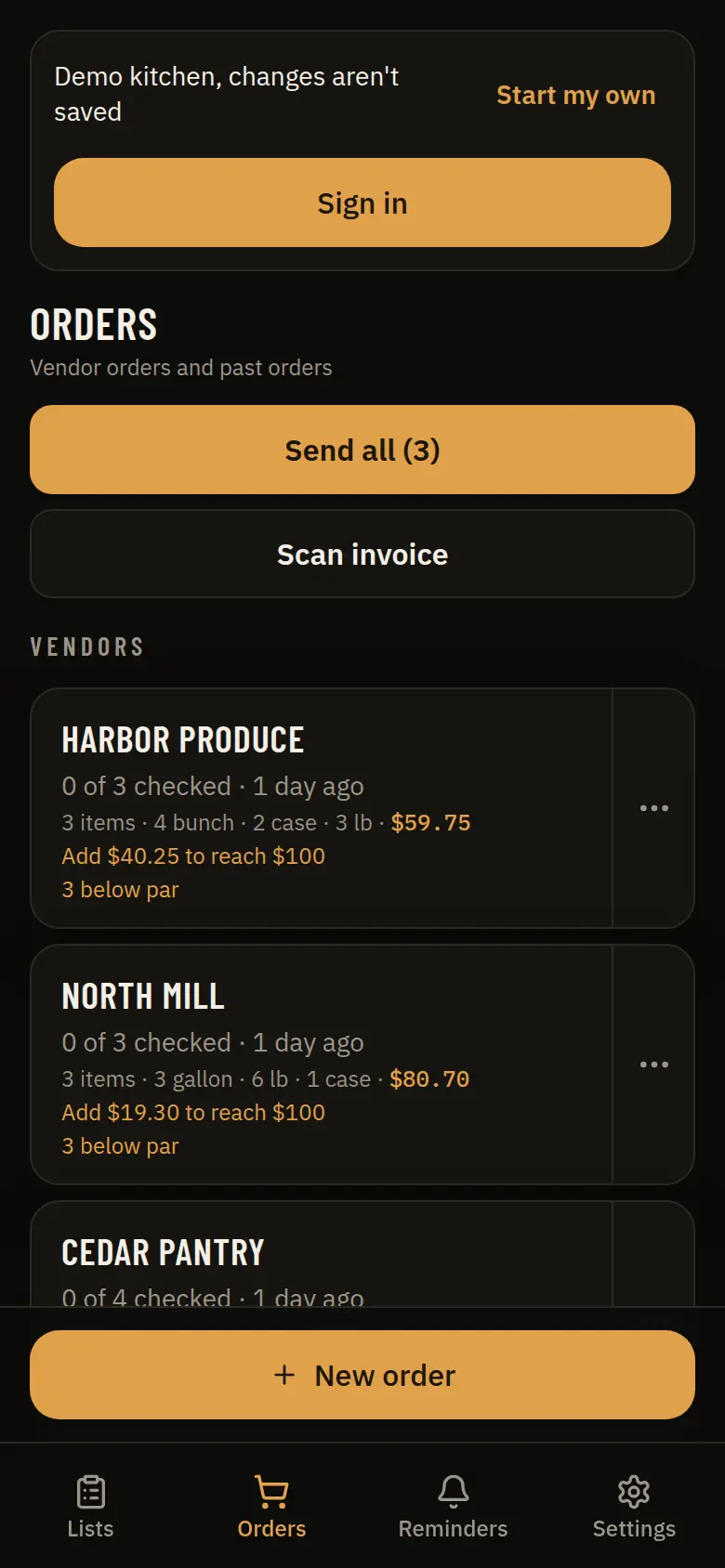
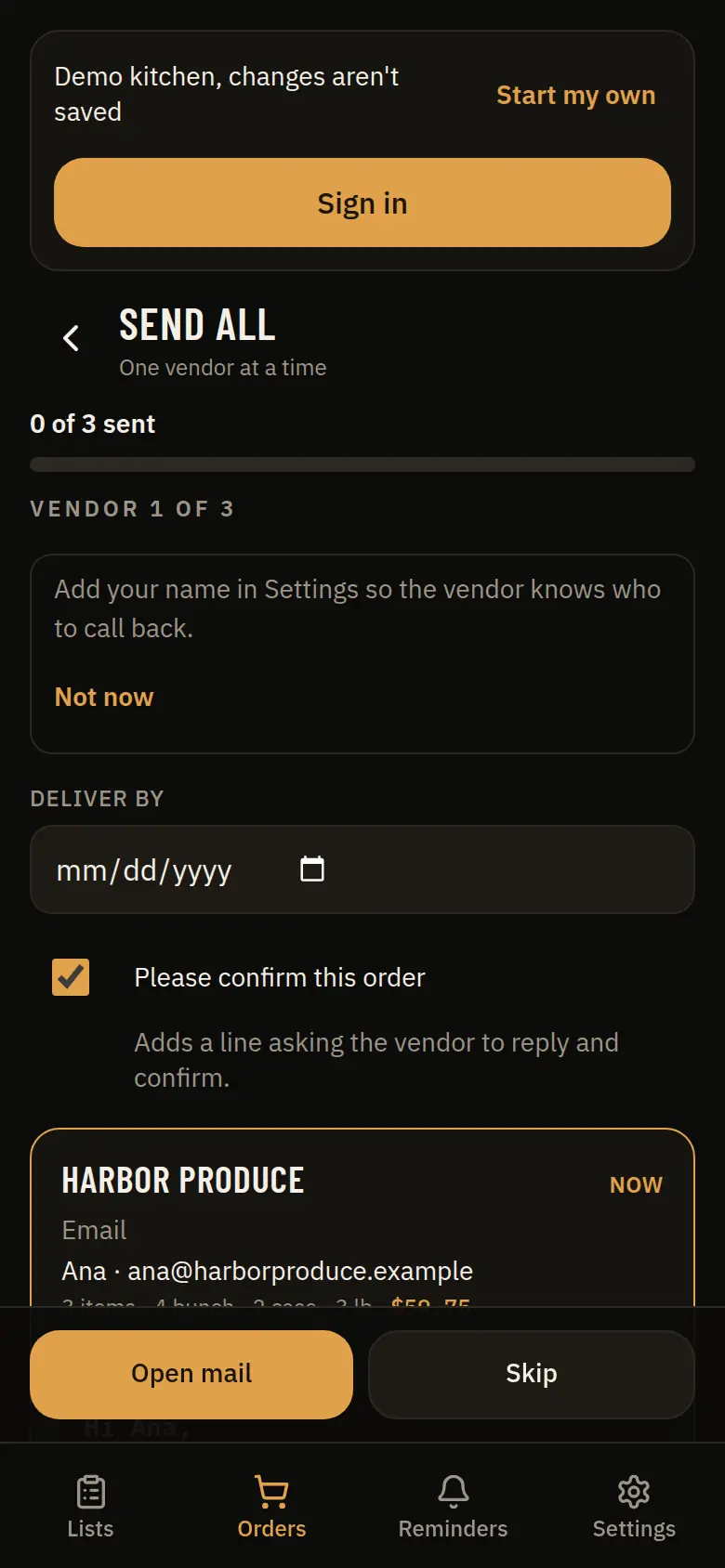
Email, text, or WhatsApp. OrderWalk fills the message and opens it. A phone can only hand off one of those at a time, so Send all walks the list. You can also copy a link that shows the lines still to order, without prices.

Send all screen in the sample demo, ready to open mail for Harbor Produce.
Sample demo kitchen

Invoices

A photo flags a price that jumped.

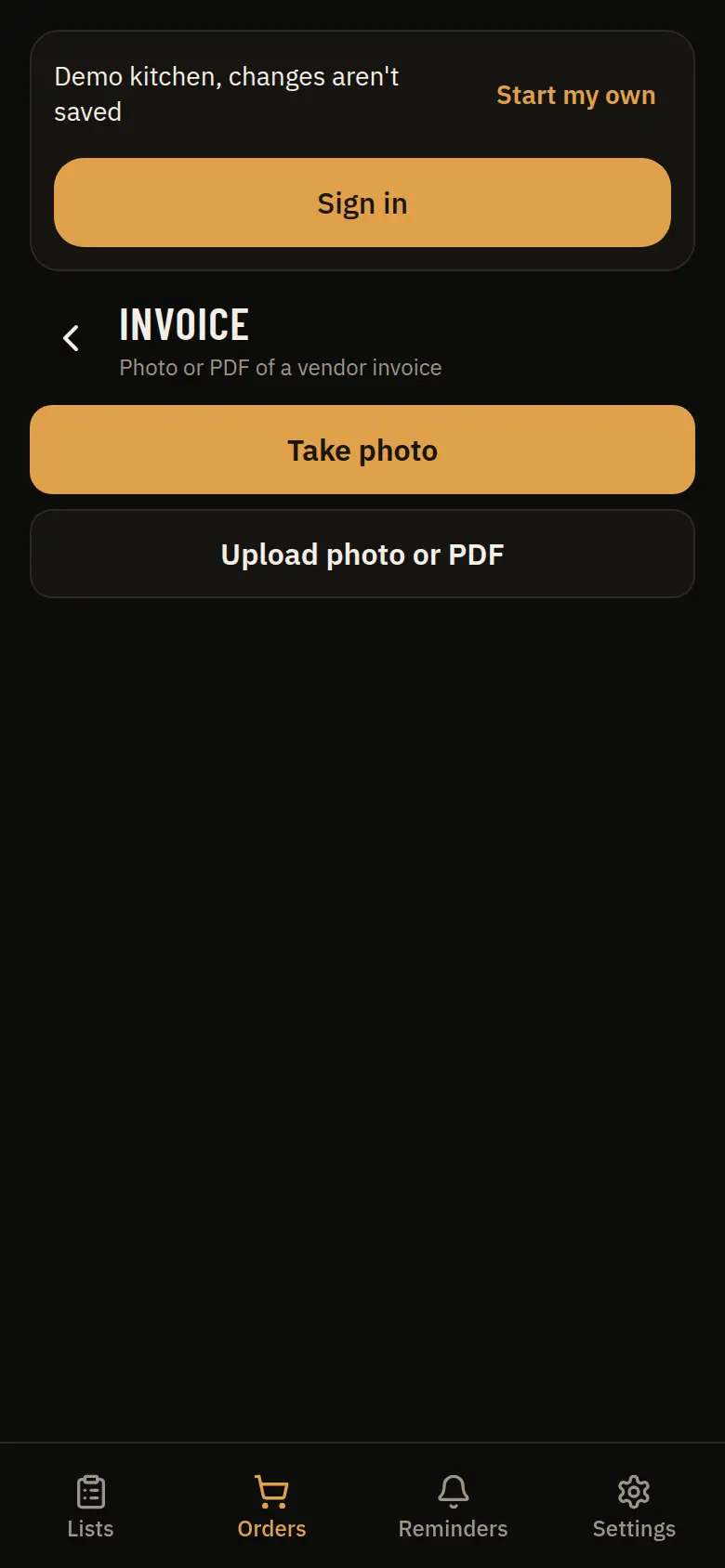
On the paid plan, after the trial, photograph the invoice or upload the PDF. The image is read so you can confirm the lines. A unit price above what you last paid is flagged. The shot here is the capture screen. The demo does not send the photo.

Invoice screen in the OrderWalk demo, with Take photo and Upload photo or PDF.
Sample demo kitchen

Language

Spanish or English. Same kitchen.

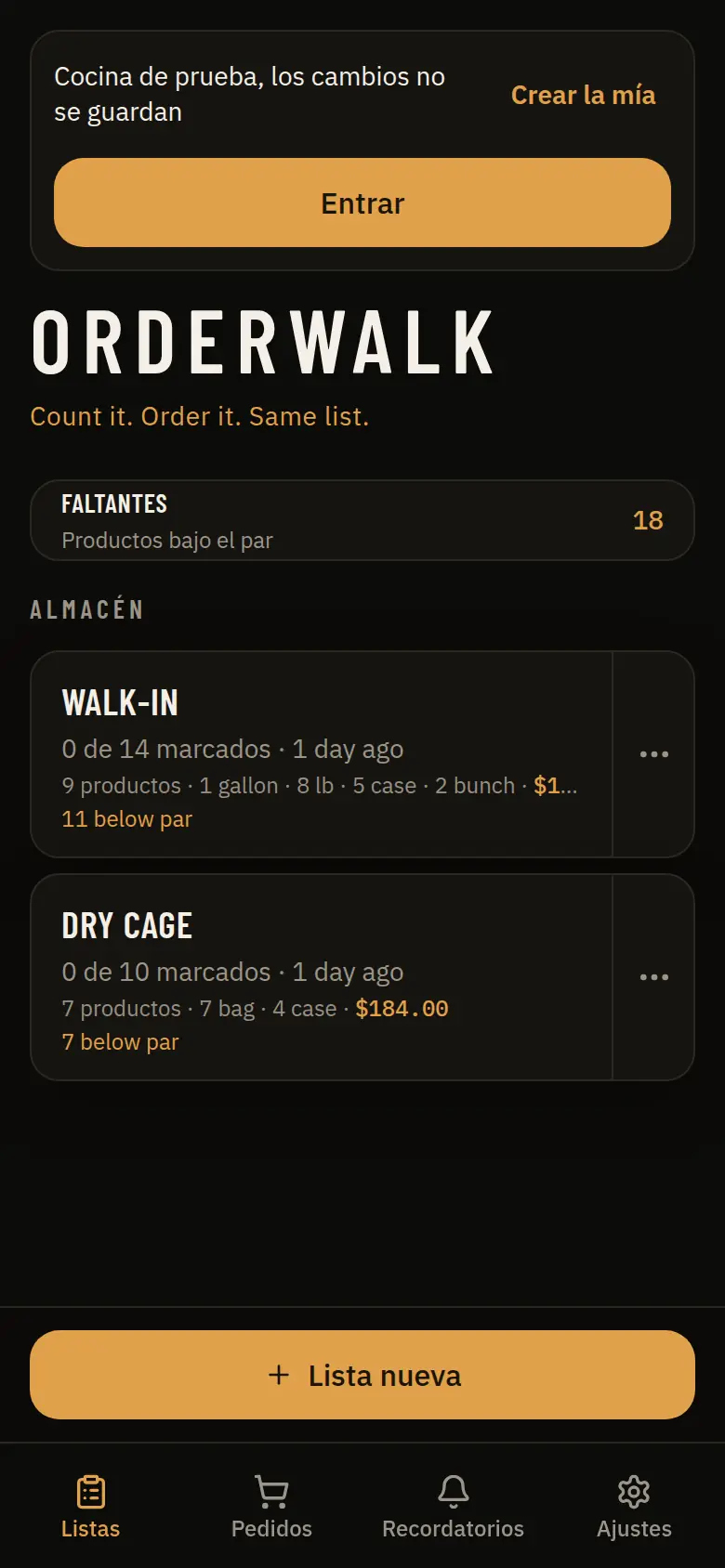
The app switches with the language in Settings, or with the phone. Vendor order text stays in English so the vendor is not reading a mix. Spanish is on the free plan.

OrderWalk demo home in Spanish, with Almacén, Faltantes, and Lista nueva.
Sample demo kitchen

Team

Invite a manager or a counter. Team mode can put a name on a count. Counters count. Managers and the owner run orders, invites, and reminders.

CSV import

Paste lines or bring in a CSV with name, unit, par, vendor, and storage area. The spreadsheet does not have to come onto the floor with you. On the free plan.

Reminders

A reminder for the days you count, and one before an order cutoff if that order still has lines. Paid plan. Push when the phone supports it, and a banner in the app either way.

Home Screen

It is a website. Add it to the Home Screen and it sits with your other apps. The kitchen you already opened stays on the phone when the walk-in has no signal. Sign-in and invoice reading need a connection.

Compare

A clipboard, a suite, or the walk.

No brand names. This is the job each one is built for, not a scorecard.

Swipe sideways to compare.

OrderWalk next to a clipboard or spreadsheet, and next to a large enterprise inventory system.
Topic Clipboard or spreadsheet OrderWalk Enterprise inventory
On the floor Paper, or a sheet back at a desk. A phone, shelf by shelf. Often a different receiving workflow.
The order You retype the count. Pars fill each vendor’s gap from the same list. A purchasing module, after a rollout.
Sending A photo of the list, or copy and paste. Email, text, or WhatsApp, one vendor at a time. A vendor portal or a buying desk.
Prices Someone remembers the last invoice. A photo can flag a higher unit price. Paid plan, after the trial. Usually a contract price file.
Who it fits One cook and a pencil. One location and a small team. Multi-location is later. Many sites, and a project to get there.
Cost Free, and a second list to maintain. Free for one location. Paid price is not set. Usually a contract. We do not quote one.

Pricing

Free for one location.

Start free opens the app. It does not ask for a card on this page. The paid price is not set, so there is nothing to charge.

Free forever

$0 No time limit. One location.

  • Up to 3 lists
  • Unlimited items
  • Walk count
  • Pars and order building
  • Sending orders
  • CSV import
  • Spanish and English
  • 30 days of history
Try the demo

Paid

Placeholder, not a price

Price coming soon

After a 14-day free trial. We have not published a dollar amount.

  • Invoice photo capture
  • Price history and alerts
  • Unlimited lists
  • Full history
  • Reminders and push
Start free

FAQ

Questions from the kitchen.

Who is OrderWalk for?

Restaurant owners and kitchen managers who count storage and order from vendors. The free plan is one location. It is not a warehouse system.

Is the free plan actually free?

Yes. One location, up to 3 lists, unlimited items, walk count, pars, order building, sending, CSV import, Spanish and English, and 30 days of history. No time limit, and this site does not ask for a card.

What does the paid plan cost?

We have not set a price. The pricing section says “Price coming soon” on purpose, and that line is a placeholder. Paid features start after a 14-day free trial: invoice photo capture, price history and alerts, unlimited lists, full history, and reminders.

Do I need an app store?

No. OrderWalk is a website. It works on any phone with a browser. Add it to your Home Screen if you want it next to your other apps.

Does it work without signal in the walk-in?

The kitchen you already opened stays on the phone, and edits wait until you are online. Signing in and reading an invoice need a connection.

How does a vendor get the order?

You send one vendor at a time by email, text, or WhatsApp. OrderWalk opens the app you already use, with that vendor’s lines filled in. A share link can show the lines still to order, without prices.

Can the team use it?

Yes. Invite a manager or a counter. Team mode can show who counted. A counter counts. Managers and the owner handle orders, invites, and reminders.

What is coming later?

Order suggestions and multi-location. They are not in the free plan or the paid plan yet.

Who makes this, and how do I reach you?

Hackwise Labs LLC, a software studio in Pennsylvania. Product support is support@orderwalk.com. The studio is hello@hackwiselabs.com.
Start on the phone

The next order starts as a walk.

Open the sample kitchen, or start a free location of your own.